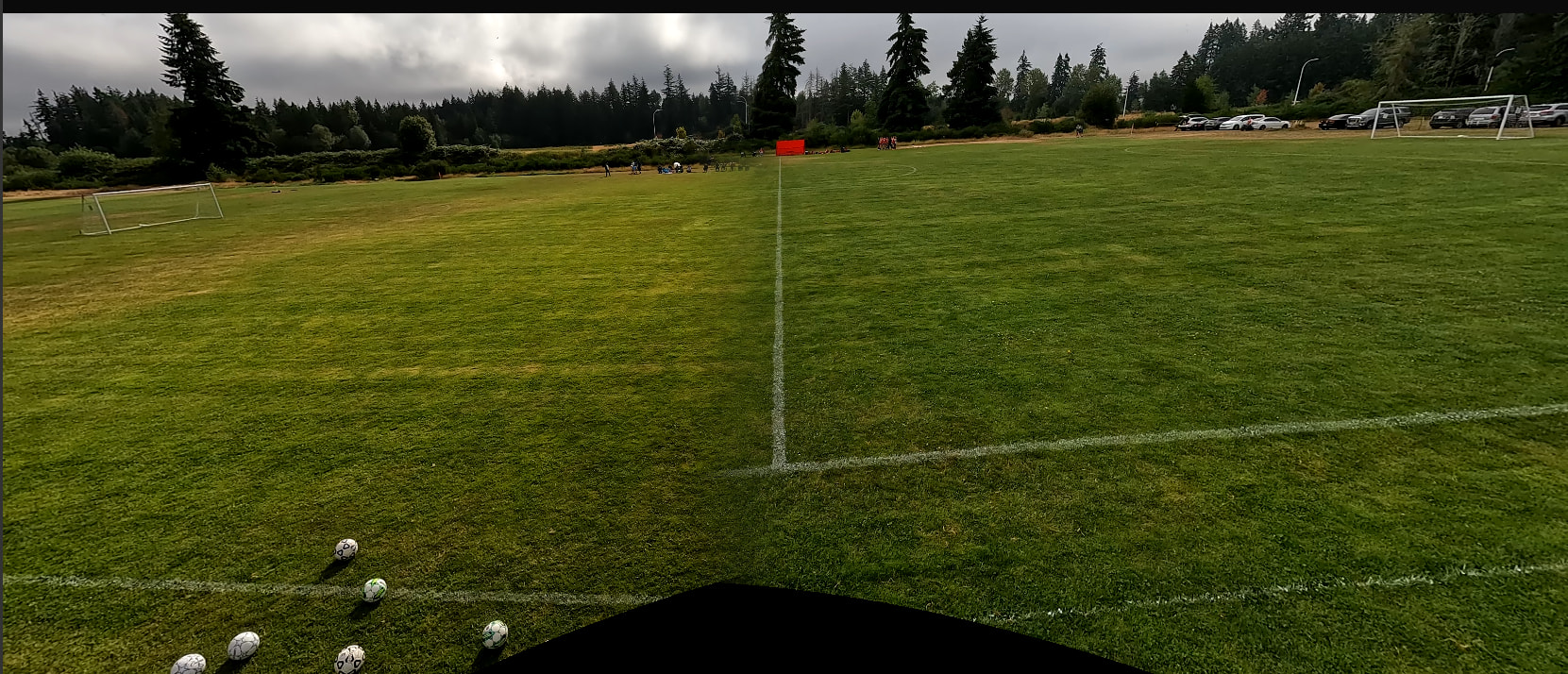
Tournament this weekend had a 2nd line to keep spectators behind. Seems like the stich is detecting that as the touchline. Any tips on how to fix ?
Hello,
The software is not aware of touchline etc… it just tries to find similar features. Here the field is empty, there are not players and very few distinct feature in the overlap.
Is it like this during the whole recording or do players/balls pass by during the game?
it was a total error on my part, I had a 3 min extra "footage” on one camera that must of just been too far for the sync to figure out and match up. Now if I could just get the ball/field tracking to work. It keeps loosing the ball, usually on dropkicks from the keeper and then just doesn’t follow play at all.
Also I keep getting a Export failed - not enough VRAM but only after the 3rd or 4th attempt at stitching. If I close the app and reload the videos the error goes away.
Could you try again with v0.5.3? It just got released.
About the tracking, you can attempt to play with the parameters there, but best is to wait for the new AI model to release, it’s much better.
How much lookahead could you set? Did you set a “ROI”? So it only tracks whats going on inside the field.
I was using the v0.5.3 beta but I just re tried with v0.5.3. All of the VRAM errors seem to be fixed yay!
I find when I do field tracking it tends to clip my goalkeepers (I’m volunteering as a GK coach so this is the most important part for me) as well as the ball frequently. I’m having a specific issue where at a point early in the 2nd half my GK punts the ball high in the air, I opened the ROI to make sure the flight of the ball was included, but no luck. After that it just stops tracking completely.
I don’t think there is a way to just have a super wide format capture with reco correct? Similar to what actionstich produces?
1 Like