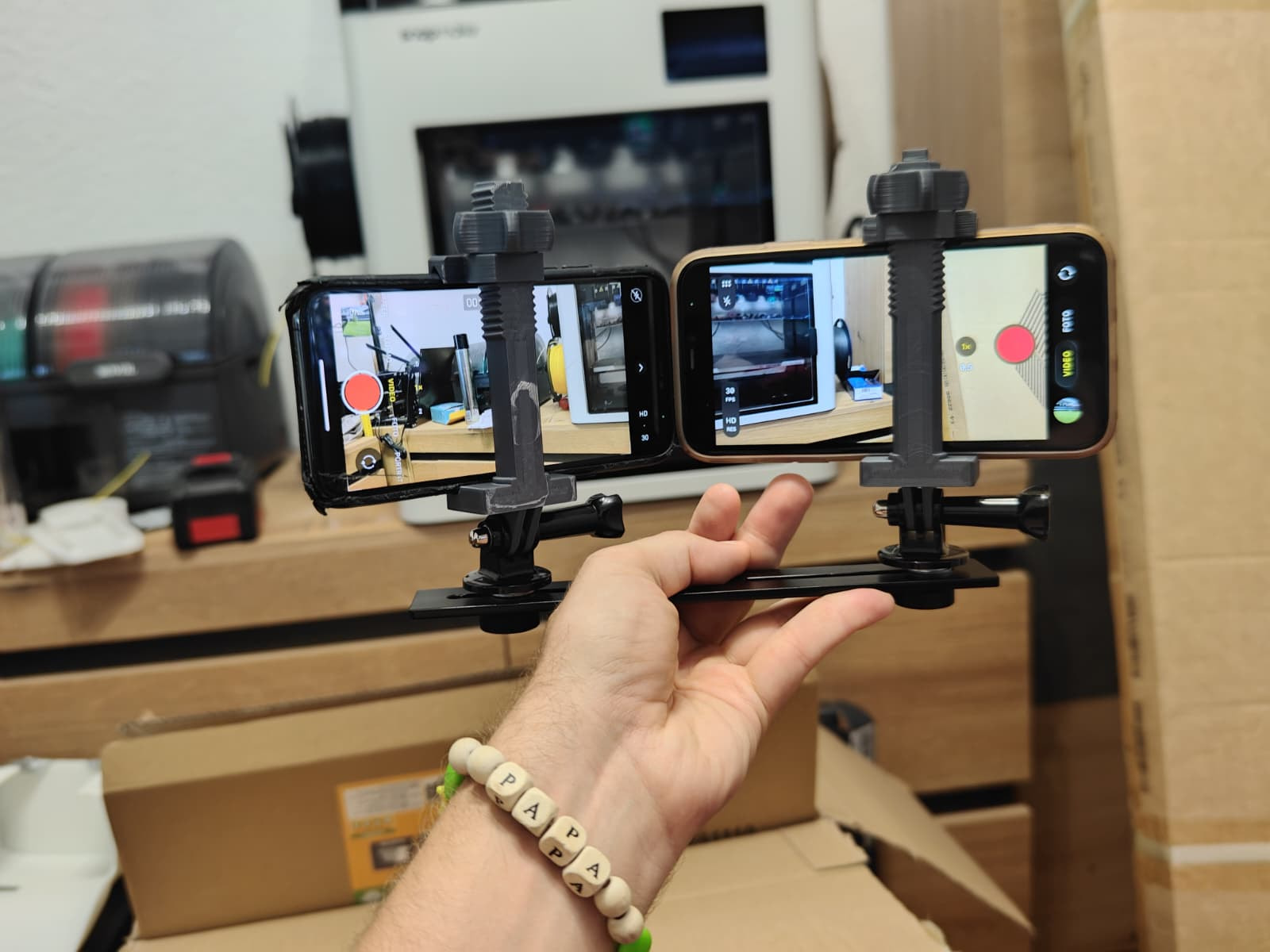
Yes livestreaming to YouTube is supported but not available in the desktop app yet. Coming soon.
Yes it runs in realtime on Raspberry Pi and Nvidia Jetson, I have tested both locally, but haven’t pushed that code fully. Issue with Raspberry Pi is that it’s not suited for AI inference, you’ll probably need an AI HAT.
The app currently relies on YOLO to track the action. I won’t claim that you’ll never miss an action. However, on top of being able to manually recover it, I have trained a very convincing ball model, that gets the job done. See Ball tracking jitter + horizontal-only pan suggestion - #8 by mohamedtahaguelzim. The app now supports “lookahead” and most of what has been discussed in that thread, but I haven’t released the ball model yet.
I highly recommend you give it a try with two phones or action cameras you may have, and the desktop app. And in the next weeks the project will become more accessible and polished to be hopefully a viable solution for sports filming.
sounds good, i wanted to try it with the OBS plugin, but couldnt find a compiled version it. i tried it to compile it myself (on windows) but got serveral errors. Any chance there is a prebuilt one?
I don’t recommend you use the OBS version now, it is unstable and not up to date. If you want to experiment with that, you might want to use the CLI version. You can even get it to work on OBS by reading the video being produced by Reco CLI. You’d use --container mkv as .mkv files can be read while being written, and you can then read it from OBS.
CLI exists as a built binary. But requires preinstalled ffmpeg.
Edit: you can also use stream_url parameter in CLI, to stream directly to YouTube or to any RTMP server. The better way, little techy, is to stream it locally, and have OBS read that stream. That way your OBS feed will have minimal latency and you’ll be able to comment and add scoreboards and all. Live video input though is only available through “GStreamer” for now. I am adding support for other protocols so you can input it from your phone or a webcam or whatever live camera. @Xnitro_HD
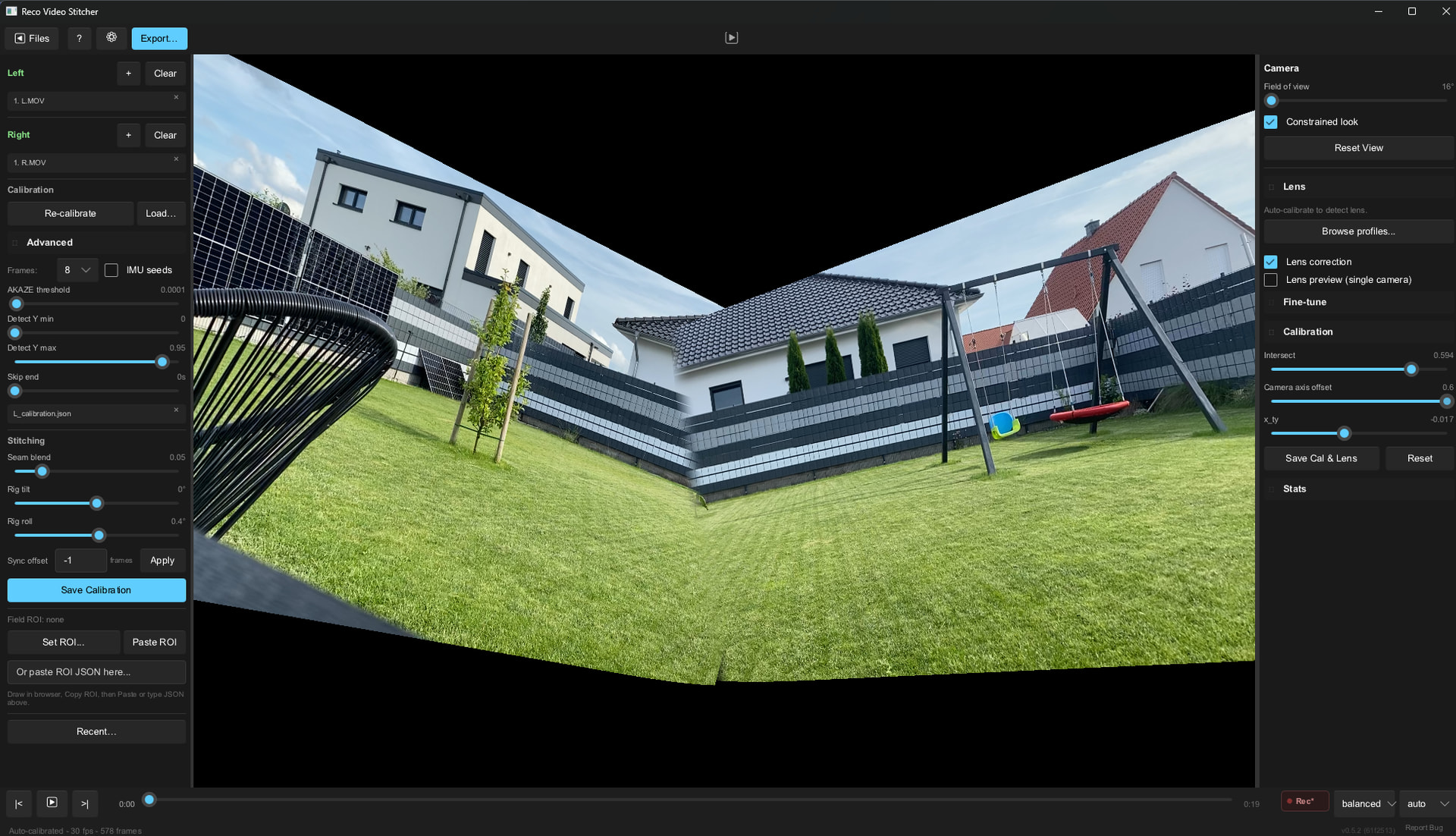
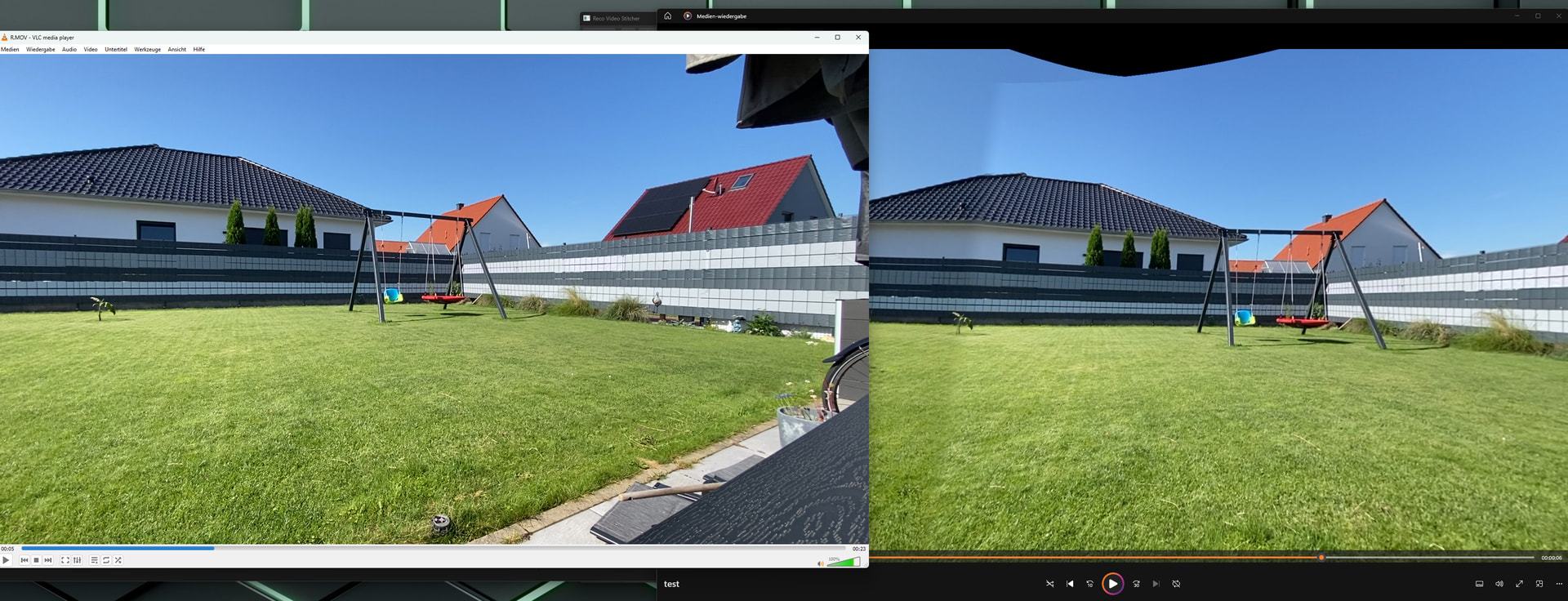
today i tried it with 2 iphones, but as of now i´m not really impressed also when auto calibrating it, everytime it looks different, mostly worse than in the picture below
Hi Sorry to hear that,
We’ll get it to work don’t worry
Can you revert the Advanced calibration to default and try to stand where the two phones meet or put some objects there so it can more easily stitch? Make sure you have enough overlap, about 10~20°.
Please let me know how it goes, thanks
Edit: I recommend you use the wider lens, it seems the overlap is too small
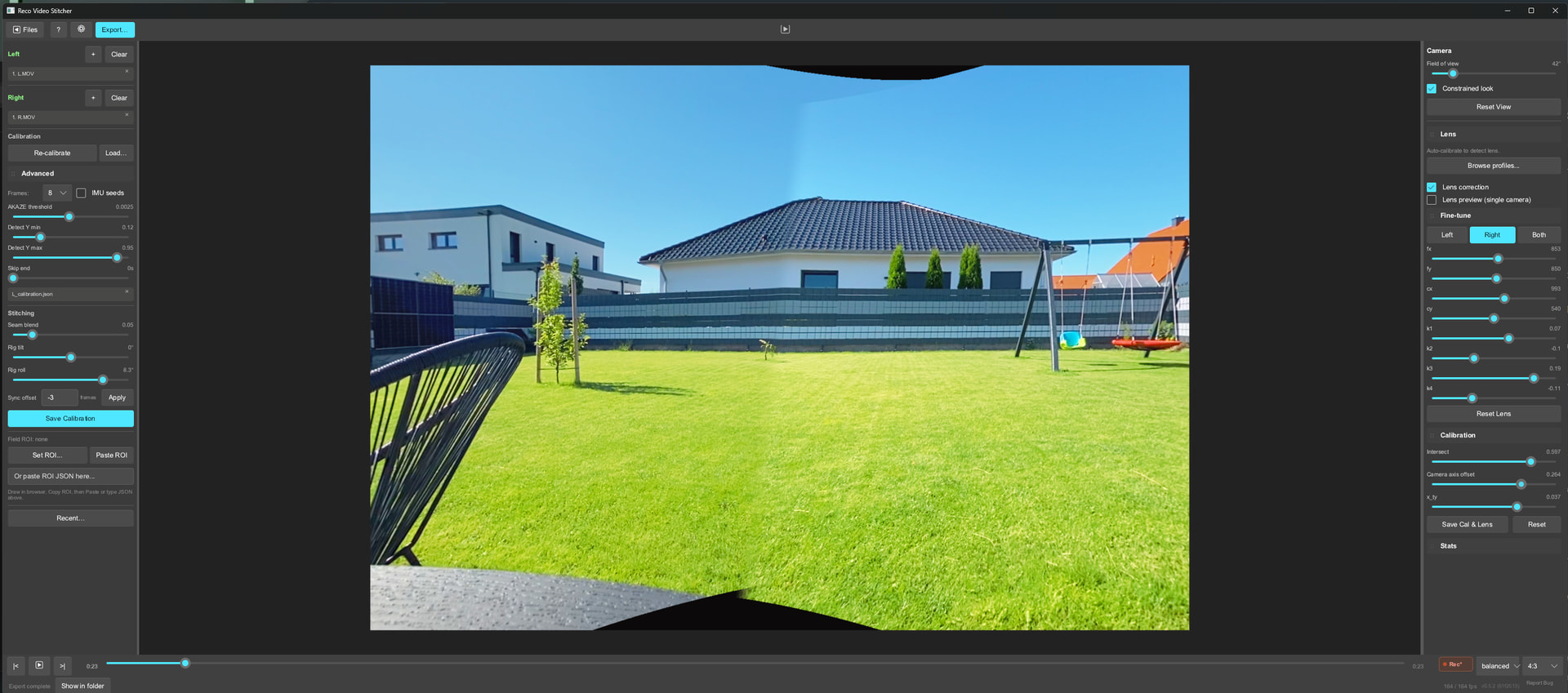
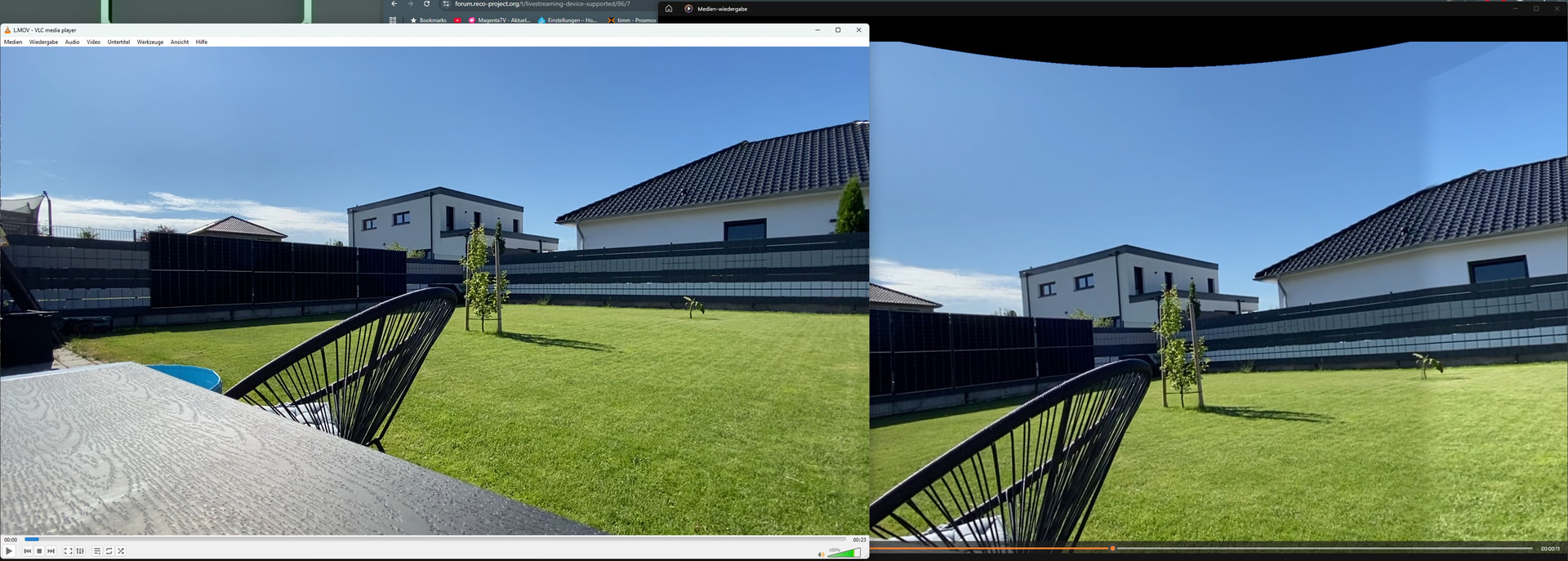
today i tried it again, this time as you stated i used the wide lens from the iphones. it looks a little bit better, but i had to adjust quite some stuff in the GUI:
But the quality is suffering immensely. The recording looks good, the preview in the GUI looks okay, but the export (regardless of the resolution and quality settings) looks really bad
Keep everything in default, and in the Lens panel, try to find the appropriate Lens Profile.
Then Save Calibration (should be left button) then recalibrate.
Same footage, make sure you use the Wide iPhone lens Profiles.
Btw not sure if u know but you can pan in the preview.
What do you find that is bad in the export? The “stretching”? Color difference? The details?
it is not the same footage. it is my again my garden yes, but this time i used the wide lens from the iphone (0.5 instead of 1). it only looks like the same because the screenshot only shows the middle. But feel free to see it for yourself if you want Content not found | LimeWire
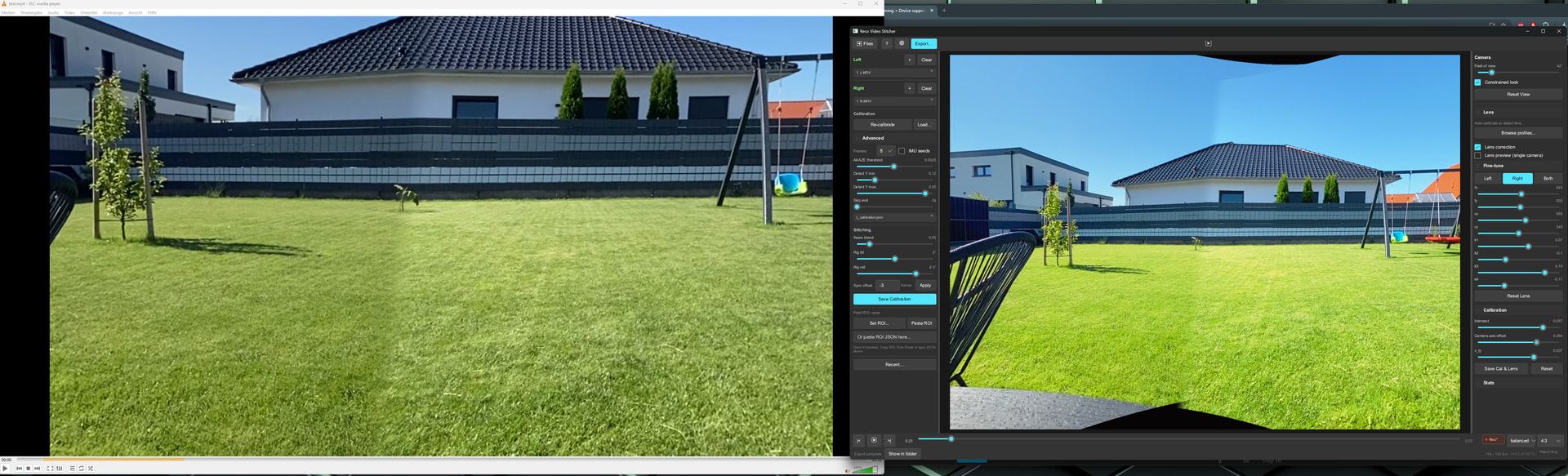
What i mean about the quality are not the colors (but yes, they are not like the preview). When i take a look at the source video and the exported video, the final result is way more pixelated:
its like its getting blurry and is not as sharp as the sourcevideo. But i really like your project! I´m excited for it and hope i can replace my xbot falcon with it.
************
And just right now i tested the 0.5.3. I chose Iphone 11 and recalibrated it. That worked really good! no finetuning needed Quality issue remains (but maybe thats beause of the zoom/lens correction?)
I used the xbot chameleon in the past and since january i use the falcon. overall i´m kinda okay with it. to be honest, i expected more from it. the tracking is not better and it´s bearly easier to setup before a match. i lost a few goals to children playing with balls near the field and such stuff. therefore i´m open to other, cost free, solutions. But i have to say, i would have NOT paid the full price for it. its like 749€ in germany. but i only paid 260€ for it because i was one of the first on the kickstarters. for 260€ it is indeed a fair price, but for the 749€ its waaaaay too overpriced
I have a falcon as well. Initially I was happy with it at the kickstarter price. Unfortunately they have released a couple firmware updates and app updates that have actually made the experience worse each time. The tracking isn’t as good and they changed features like the scoreboard removing functionality for no reason. You still need to be connected and correct the camera a handful of times during the game. I likely going to sell it.

 also when auto calibrating it, everytime it looks different, mostly worse than in the picture below