Has anyone attempted to get dual 8K cameras stitched together and get a smooth Veo like cropped image in 4K? I would love to see some samples. I currently record with Veo, XbotGo Falcon, and testing Folocam.
My end game setup:
4K 60FPS final image cleaned up any horizon distortion
Automatic detection of half start/stop
Automatic detection of Goals (Update overlay scoreboard based who scored)
No automatic halves / goal detection for now. It’s an open topic for the community to work on
However I thought of making a small webapp where you click on a button when a goal is scored and the overlay directly updates. Shouldn’t be too hard to create.
Not yet. I’m looking at a few different camera options to see what makes sense. The 8K footage on the GoPro Mission 1 Pro doesn’t appear to be that good right now. The 4K image is sharper.
I might have to build a bluetooth timecode device that I can click buttons to record events. That could be used to target goals and key plays. Something cheaper and more simple than this https://www.markermaker.io
I haven’t looked but does your software support timecode to stitch everything including external mics? Might have to do that in post. I want to build an automated system that pulls the video off the devices when I get home. Process the video and then upload to YouTube automatically.
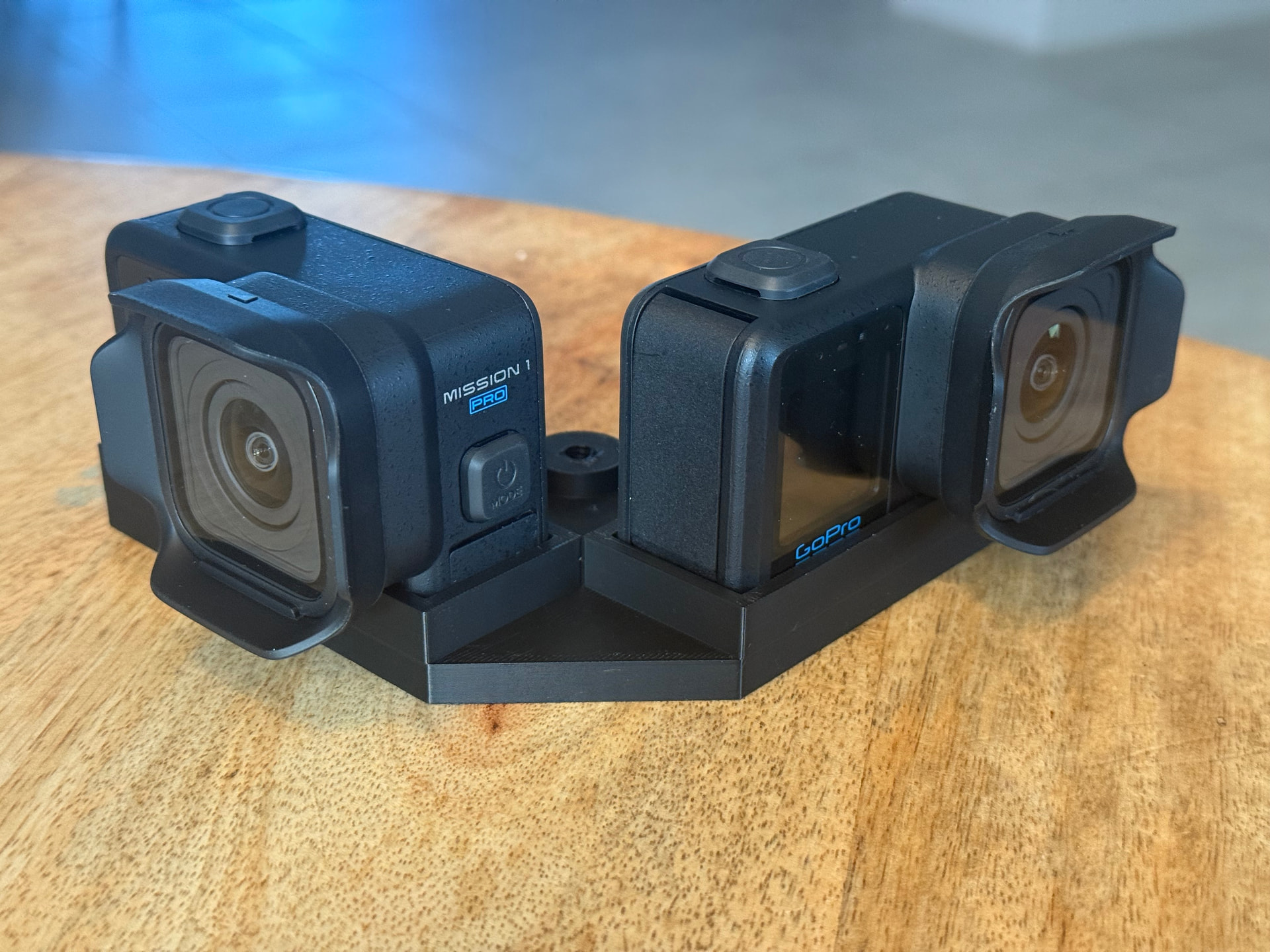
I bought a Gopro mission 1 pro and tested the image quality in 8K 60fps. It’s amazing so far and it should produce an incredible final image. I need to purchase a second one now and 3d print a mount. Once I get some sample recordings I can start running it through some tests.
Is it best to shoot in linear mode or just regular mode and let the post software dewarp after stitching?
I made a dual GoPro Mission 1 mount but with the 15 degree tilt removed. The season is over and doesn’t start for another 2 months. I need to try and find a pickup game locally to record and test with 8K.